 |
|
 |
|
Color Your World– Pen, Ink and Watercolor A beautiful New Mexican morning washing over three colorful benches, a background is full of interesting details– antlers, hand-tossed pottery and a scattering of old license plates. With a little help from Photoshop, we can turn this intricate photo into a ink and watercolor rendering. (This tutorial works for both Photoshop and Photoshop Elements) Step 1 |
||
|
|
|
 |
||
|
|
|
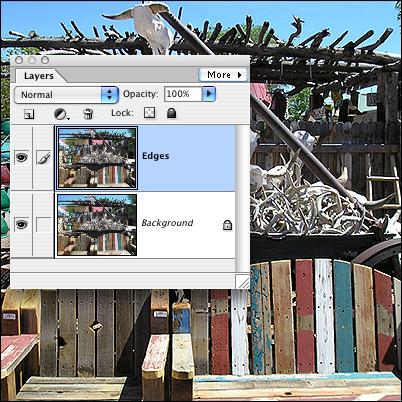
Start by opening an image– this photo was taken by my daughter, Emily, while on vacation in New Mexico. Duplicate the background layer (Ctrl/Command-L), double-click on the word Layer 1 in the Layers palette, and name the duped layer Edges. |
||
|
|
|
 |
||
|
|
|
| Close Window | ||
|
|
|