|
Step 3
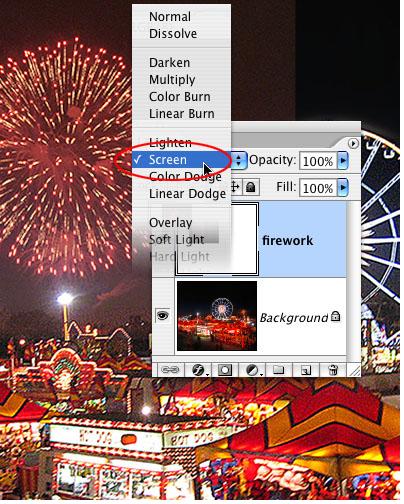
Name the new layer Firework by double-clicking on the words Layer 1 in the Layers palette. The black of the Firework layer is hiding the night image behind it– here’s where Photoshop’s layer blending modes can come to the rescue. Select the Firework layer, click and hold on the word Normal right above it, and slide down to the Screen blending mode. According to Adobe, the Screen mode “multiplies the inverse of the blend and base colors.” For all practical purposes, Screen lets light colors show against a dark background while hiding dark colors, making the black in the firework disappear.
|
|