 |
|
 |
|
Brushed metal is always a cool effect to pull off in Photoshop. And after you’ve created your steel texture, what better place to use it than to produce beveled steel type? Step 1 |
||
|
|
|
 |
||
|
|
|
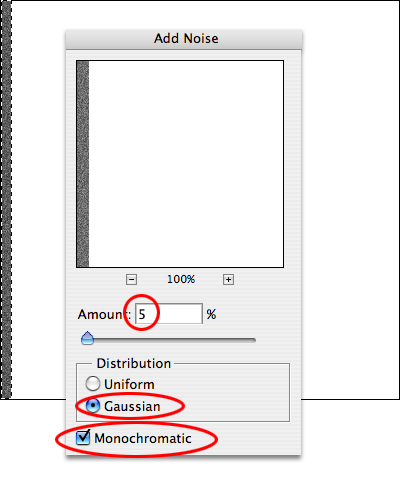
Start with a 400 pixel by 400 pixel document. Select a small strip near one edge with the Rectangular Marquee tool, and fill it with 50% gray (Edit > Fill > 50% gray). Add noise (Filter > Noise > Add Noise...), setting the Amount for 5%, Gaussian distribution and check the Monochromatic box. |
||
|
|
|
 |
||
|
|
|
| Close Window | ||
|
|
|