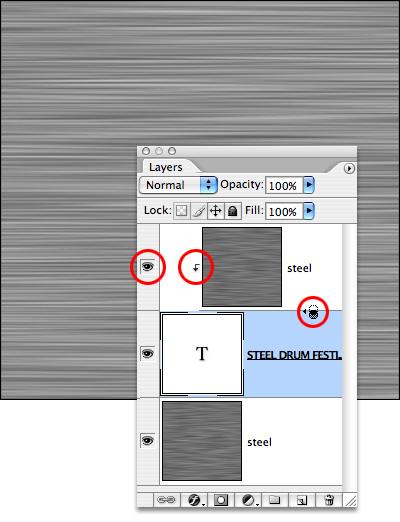
Turn on the top Steel layer’s eyeball, and then create a clipping group. In Photoshop CS2, hold down the Option (Alt) key and tap right between the two layers-- you'll see an icon that looks like two circles when you're right on the line between the layers. In previous versions, select the type layer and hit Command-Option-G [Control-Alt-G].
You’ll see the top Steel layer move to the right on the Layers palette and a small arrow will appear. A clipping group limits the visibility of the top grouped layer to the layer it’s grouped with. You won’t see any change... yet.
|