 |
|
 |
|
Step 6 |
||
|
|
|
 |
||
|
|
|
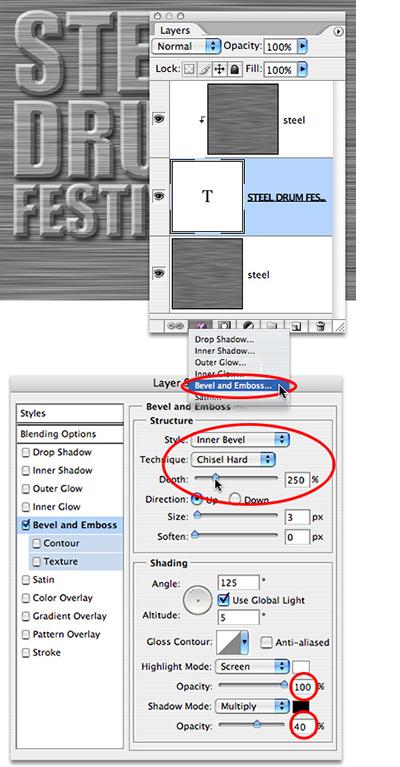
At the bottom of the Layers palette is the Add a Layer Style icon– it looks like an f in a gray circle. Click and hold on it, and pull down to Bevel and Emboss. Choose Inner Bevel, Chisel Hard, and set a pretty serious Depth of 250%. Set your Highlight to 100% and your Shadow to 40%. You’ll see the beveled type appear as if by Photoshop magic. |
||
|
|
|
 |
Close Window | |||
|
|
|
|
|